A set is a collection of unique data. That is, elements of a set cannot be duplicate. For example,
Suppose we want to store information about student IDs. Since student IDs cannot be duplicate, we can use a set.
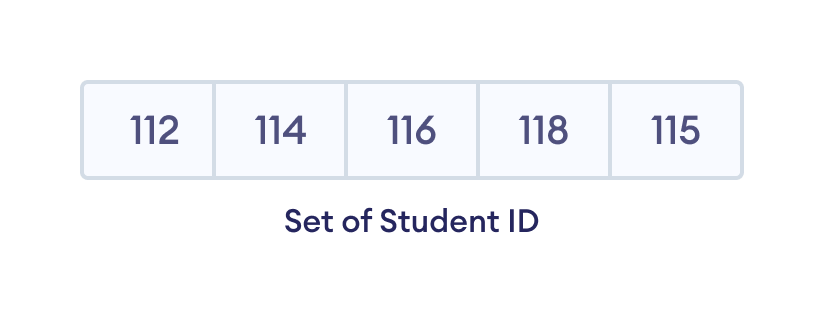
Create a Set in Swift
Here's how we can create a set in Swift.
Output
Student ID: [112, 114, 115, 118, 116]
In the above example, notice the statement,
var studentID : Set = [112, 114, 115, 118, 116]
Here, the Set keyword specifies that studentID is a set. Since all the elements of the set are integers, studentID is a set of Int type.
However, we can also specify the type of set as
var studentID : Set<Int> = [112, 114, 115, 116, 118]
Note: When you run this code, you might get output in a different order. This is because the set has no particular order.
Add Elements to a Set
We use the insert() method to add the specified element to a set. For example,
Output
Initial Set: [54, 21, 34, 12]
Updated Set: [54, 21, 34, 12, 32]
In the above example, we have created a set named employeeID. Notice the line,
numbers.insert(32)
Here, insert() adds 32 to our set.
Remove an Element from a Set
We use the remove() method to remove the specified element from a set. For example,
Output
Initial Set: ["Python", "Java", "Swift"]
Set after remove(): ["Python", "Swift"]
Similarly, we can also use
removeFirst()- to remove the first element of a setremoveAll()- to remove all elements of a set
Other Set Methods
| Method | Description |
|---|---|
sorted() |
sorts set elements |
forEach() |
performs the specified actions on each element |
contains() |
searches the specified element in a set |
randomElement() |
returns a random element from the set |
firstIndex() |
returns the index of the given element |
Iterate Over a Set
We can use the for loop to iterate over the elements of a set. For example,
Output
Fruits:
Peach
Mango
Apple
Find Number of Set Elements
We can use the count property to find the number of elements present in a Set. For example,
Output
Set: [2, 6, 8, 4]
Total Elements: 4
Swift Set Operations
Swift Set provides different built-in methods to perform mathematical set operations like union, intersection, subtraction, and symmetric difference.
1. Union of Two Sets
The union of two sets A and B include all the elements of set A and B.
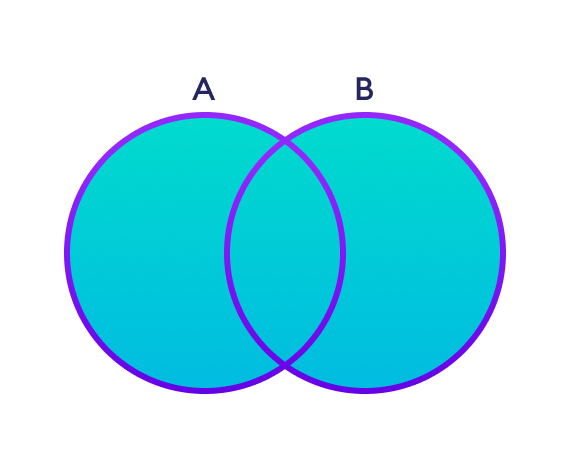
We use the union() method to perform the set union operation. For example,
Output
Set A:  [1, 5, 3]
Set B:  [0, 2, 4]
Union: [0, 5, 2, 4, 1, 3]
Note: setA.union(setB) is equivalent to A ⋃ B set operation.
2. Intersection between Two Sets
The intersection of two sets A and B include the common elements between set A and B.
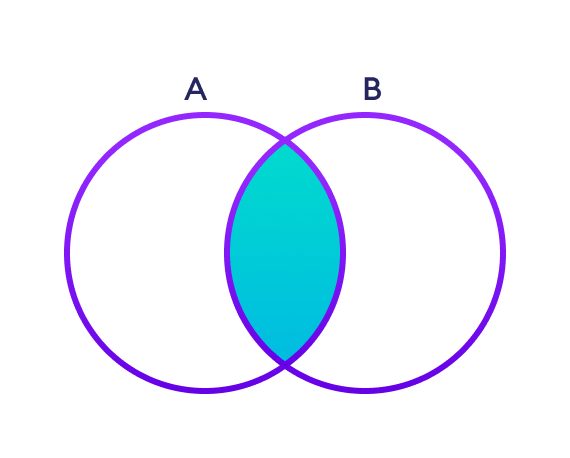
We use the intersection() method to perform the intersection between two sets. For example,
Output
Set A:  [5, 3, 1]
Set B:  [1, 2, 3]
Intersection:  [3, 1]
Note: setA.intersection(setB) is equivalent to A ⋂ B set operation.
3. Difference between Two Sets
The difference between two sets A and B include elements of set A that are not present on set B.
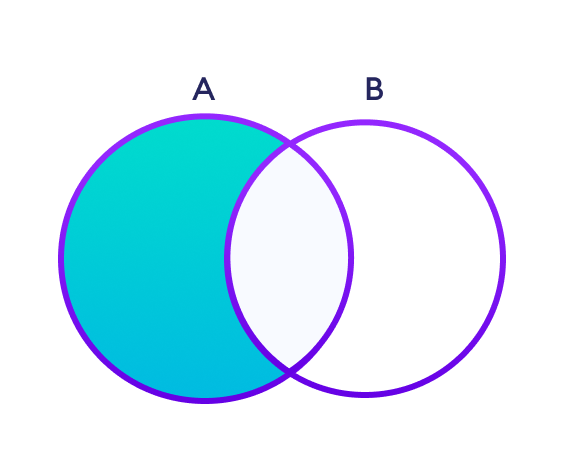
We use the subtracting() method to perform the difference between two sets. For example,
Output
Set A:  [3, 5, 2]
Set B:  [1, 6, 2]
Subtraction:  [3, 5]
Note: setA.substracting(setB) is equivalent to A - B set operation.
4. Symmetric Difference between Two Sets
The symmetric difference between two sets A and B includes all elements of A and B without the common elements.
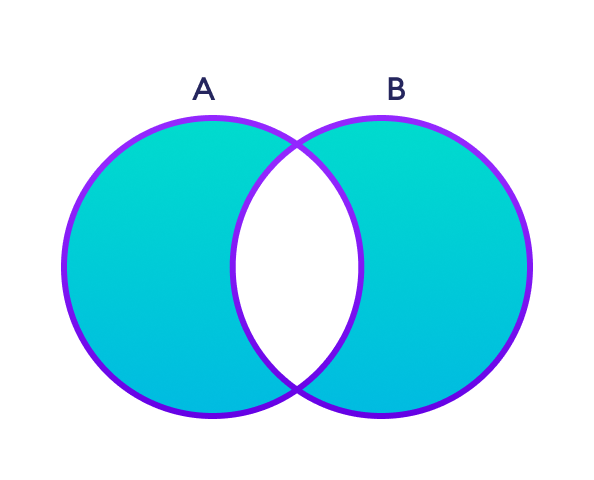
We use the symmetricDifference() method to perform symmetric difference between two sets. For example,
Output
Set A:  [5, 2, 3]
Set B:  [2, 6, 1]
Symmetric Difference:  [1, 6, 3, 5]
5. Check Subset of a Set
Set B is said to be the subset of set A if all elements of B are also present in A.
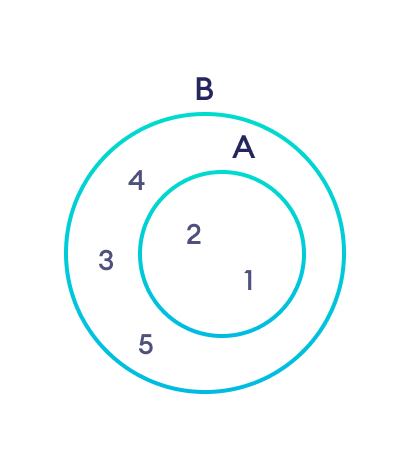
We use the Subset() method to check if one set is a subset of another or not. For example,
Output
Set A:  [3, 1, 2, 5]
Set B:  [1, 2]
Subset:  true
Check if two sets are equal
We can use the == operator to check whether two sets are equal or not. For example,
Output
Set A and Set B are equal
In the above example, setA and setB have the same elements, so the condition
if setA == setB
evaluates to true. Hence, the statement print("Set A and Set B are same") inside the if is executed.
Create an Empty Set
In Swift, we can also create an empty set. For example,
Output
Set: [ ]
It is important to note that, while creating an empty set, we must specify the data type inside the <> followed by an initializer syntax ().
Here, <Int>() specifies that the empty set can only store integer data elements.