In C++, the break statement terminates the loop when it is encountered.
The syntax of the break statement is:
break;
Before you learn about the break statement, make sure you know about:
Working of C++ break Statement
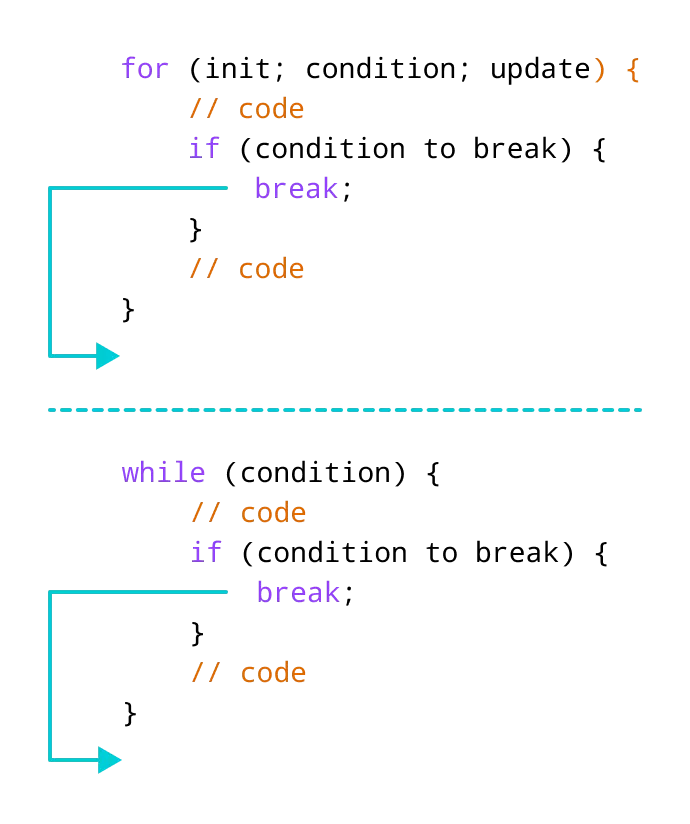
Example 1: break with for loop
Output
1
2
In the above program, the for loop is used to print the value of i in each iteration. Here, notice the code:
if (i == 3) {
    break;
}
This means, when i is equal to 3, the break statement terminates the loop. Hence, the output doesn't include values greater than or equal to 3.
Note: The break statement is usually used with decision-making statements.
Example 2: break with while loop
Output
Enter a number: 1
Enter a number: 2
Enter a number: 3
Enter a number: -5
The sum is 6.
In the above program, the user enters a number. The while loop is used to print the total sum of numbers entered by the user. Here, notice the code,
if(number < 0) {
    break;
}
This means, when the user enters a negative number, the break statement terminates the loop and codes outside the loop are executed.
The while loop continues until the user enters a negative number.
break with Nested loop
When break is used with nested loops, break terminates the inner loop. For example,
Output
i = 1, j = 1
i = 1, j = 2
i = 1, j = 3
i = 3, j = 1
i = 3, j = 2
i = 3, j = 3
In the above program, the break statement is executed when i == 2. It terminates the inner loop, and the control flow of the program moves to the outer loop.
Hence, the value of i = 2 is never displayed in the output.
The break statement is also used with the switch statement. To learn more, visit C++ switch statement.