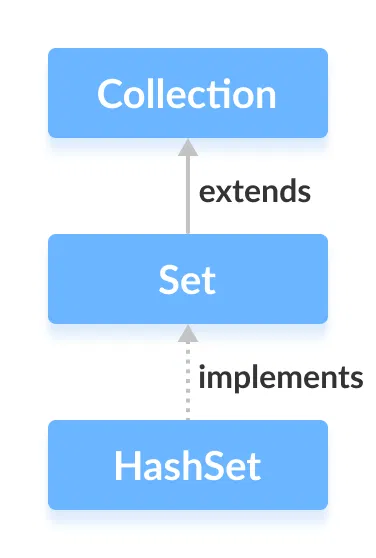
The HashSet class of the Java Collections framework provides the functionalities of the hash table data structure.
It implements the Set interface.
Creating a HashSet
In order to create a hash set, we must import the java.util.HashSet package first.
Once we import the package, here is how we can create hash sets in Java.
// HashSet with 8 capacity and 0.75 load factor
HashSet<Integer> numbers = new HashSet<>(8, 0.75);
Here, we have created a hash set named numbers.
Notice, the part new HashSet<>(8, 0.75). Here, the first parameter is capacity, and the second parameter is loadFactor.
- capacity - The capacity of this hash set is 8. Meaning, it can store 8 elements.
- loadFactor - The load factor of this hash set is 0.6. This means, whenever our hash set is filled by 60%, the elements are moved to a new hash table of double the size of the original hash table.
Default capacity and load factor
It's possible to create a hash table without defining its capacity and load factor. For example,
// HashSet with default capacity and load factor
HashSet<Integer> numbers1 = new HashSet<>();
By default,
- the capacity of the hash set will be 16
- the load factor will be 0.75
Methods of HashSet
The HashSet class provides various methods that allow us to perform various operations on the set.
Insert Elements to HashSet
add()- inserts the specified element to the setaddAll()- inserts all the elements of the specified collection to the set
For example,
Output
HashSet: [2, 4, 6]
New HashSet: [2, 4, 5, 6]
Access HashSet Elements
To access the elements of a hash set, we can use the iterator() method. In order to use this method, we must import the java.util.Iterator package. For example,
Output
HashSet: [2, 5, 6]
HashSet using Iterator: 2, 5, 6,
Remove Elements
remove()- removes the specified element from the setremoveAll()- removes all the elements from the set
For example,
Output
HashSet: [2, 5, 6]
Is 5 removed? true
Are all elements removed? true
Set Operations
The various methods of the HashSet class can also be used to perform various set operations.
Union of Sets
To perform the union between two sets, we can use the addAll() method. For example,
Output
HashSet1: [2, 4]
HashSet2: [1, 3]
Union is: [1, 2, 3, 4]
Intersection of Sets
To perform the intersection between two sets, we can use the retainAll() method. For example
Output
HashSet1: [2, 3]
HashSet2: [2, 4]
Intersection is: [2]
Difference of Sets
To calculate the difference between the two sets, we can use the removeAll() method. For example,
Output
HashSet1: [2, 3, 5]
HashSet2: [1, 3, 5]
Difference: [2]
Subset
To check if a set is a subset of another set or not, we can use the containsAll() method. For example,
Output
HashSet1: [1, 2, 3, 4]
HashSet2: [2, 3]
Is HashSet2 is a subset of HashSet1? true
Other Methods Of HashSet
| Method | Description |
|---|---|
clone() |
Creates a copy of the HashSet |
contains() |
Searches the HashSet for the specified element and returns a boolean result |
isEmpty() |
Checks if the HashSet is empty |
size() |
Returns the size of the HashSet |
clear() |
Removes all the elements from the HashSet |
To learn more about HashSet methods, visit Java HashSet (official Java documentation).
Why HashSet?
In Java, HashSet is commonly used if we have to access elements randomly. It is because elements in a hash table are accessed using hash codes.
The hashcode of an element is a unique identity that helps to identify the element in a hash table.
HashSet cannot contain duplicate elements. Hence, each hash set element has a unique hashcode.
Note: HashSet is not synchronized. That is if multiple threads access the hash set at the same time and one of the threads modifies the hash set. Then it must be externally synchronized.